Interacting with libwayland
General impressions
2026/06/28
The #xed
I have been working on making platform layers for both linux and windows. For windows
the process is pretty straightforwards... just use the win32 api and a few lines of code and you're done.
Ofcourse it also helps that I have done this before, but never took it to a full app.
For linux though, it's a different story. For one, targeting platforms is just not something I will be considering,
and not just different unix systems or distributions, I won't even consider building for the same distribution on
different versions... just because it's so fragmented.
I'll talk about this further but basically my experience working on the windowing and input handling using libwayland
only further validated my decision.
What I have settled on is to make a platform layer for only the thing i'm running right now and if in the future I need to change OS and something breaks, then I'll fix that and make it run at that point. This is doable since I only care about linux in so far as I am able to develop on it and also learn more about linux syscalls since I want to go the no/few libraries route. Windows is what I am targeting actually releasing and debugging games/programs on for... a multitude of reasons I won't get into -- other than it's a simpler and stable base.
An overview of what I created; I made a Software Rendered demo program following and learning from the wayland book that covers window handling, resize events, input handling. The goal was to explore the api surface I will need to work on desktop apps on linux and then make it more pleasable to work with and clean up all the very wayland specific code into something where I can just do: `platform_wayland_init`, `platform_wayland_run` and `platform_wayland_destroy`. I haven't gotten to this last part yet, but you can view the demo program here.
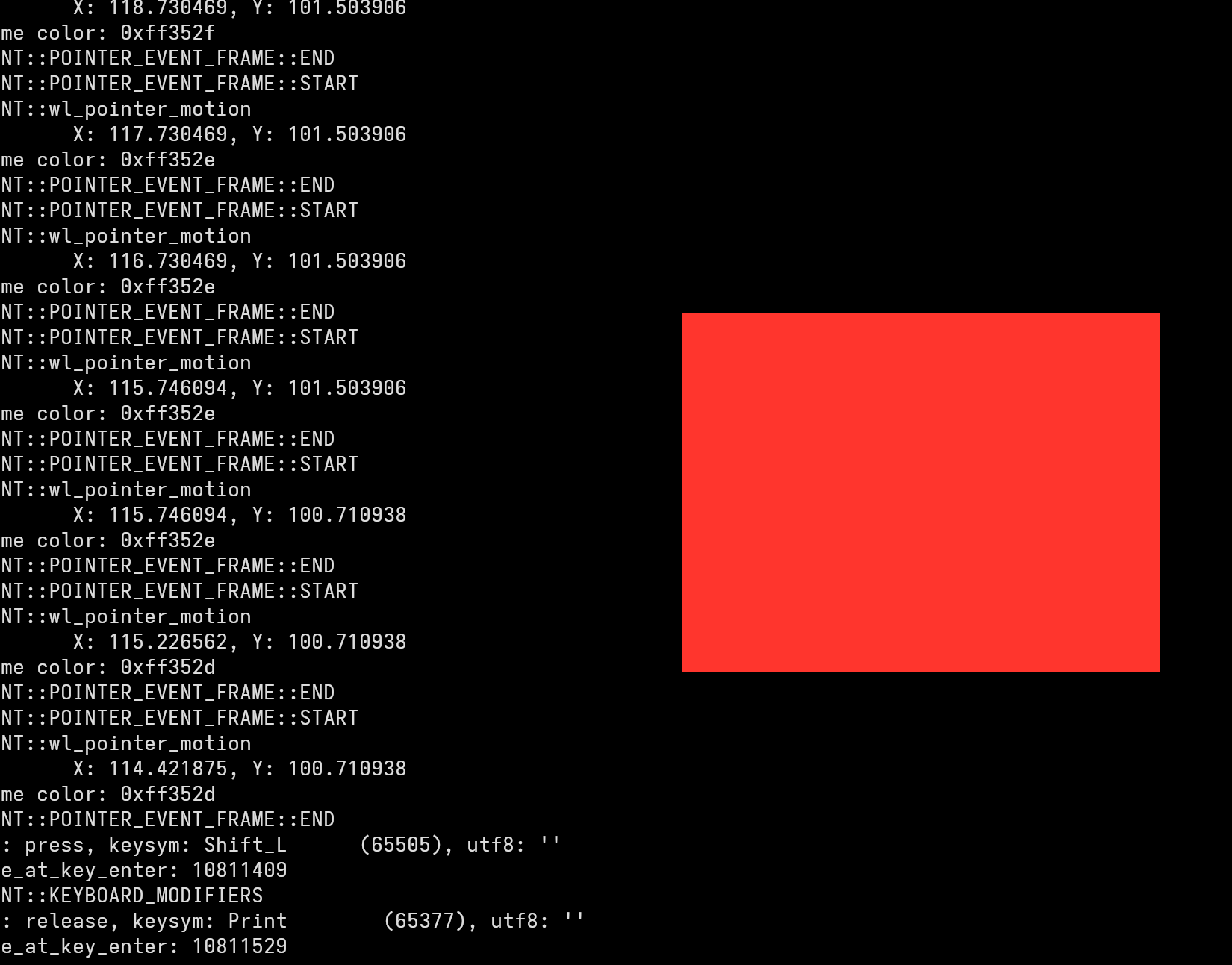 This mostly handles a limited set of items (alt-f4,esc to exit; f to fullscreen) and uses mouse position in the window to interpolate colors
in an arbitrary manner, mainly to playaround with stuff and because it was better than a solid color.
This mostly handles a limited set of items (alt-f4,esc to exit; f to fullscreen) and uses mouse position in the window to interpolate colors
in an arbitrary manner, mainly to playaround with stuff and because it was better than a solid color.
The other item is the binary size which came out to a sleek 24k compared to 213k for a similar (but vastly more functional) binary made with SDL2, which seems fairly meaningless, so take it how you will.
The other thing you will notice is that, it's a completely flat surface with no window decorations... yeah, apparently you need to implement
that yourself OR you could use something like libdecor (which is a library that implements it). I haven't gotten to it and I don't think I
will need to but when I start working on UI stuff I will try and implement this myself.
For those interested in implementing this yourself (which I highly recommend, despite what the next section will say), my best recommendation is to go through the wayland book, it takes you through implementing like 90% of the required functionality for windowing and input. Then, use your text editors (if you are even using one at this point), to view the type and function declarations and the library provided documentation for whatever you are confused by. A thing that actually helps is that there is a pattern (though more close to a paradigm) for how you will need to implement a wayland client which mostly revolves around, `wl_get_x` and adding event listeners for handling said events (which once more you can find through the documentation). The alternative to this is wayland explorer, which is true to it's word, a better way for reading wayland documentation and I wished I found it sooner.
The rest of this article is a general overview of my experience and how I felt creating this libwayland-demo.
There are a few idiosyncracies with linux like when I first tried using native windowing it was with x11. I got a few steps in following a few decades old guide (which is fine) but it was also highlighting repeatedly how X was bad or Y was terrible. I also could not get behind how poorly the x11 globals were named (No reasonable prefix). That said I am aware of xcb improving upon all of this though I did not evaluate it further. Currently, because I run one of those new OS that remove x11 support, it means for my own use, it's just easier to use wayland and develop for that. Trying the whole nolib approach for wayland is... well, it's possible but I don't think it's entirely feasible. I decided to follow the wayland book and settled on the fact that you kind of have to use libwayland-client and it's dev libraries for windowing. Similarly, you are urged to use libxkbcommon and libxkbcommon-dev for keyboard handling, and I think it's worth just using these, even though I'm curious to see how far you can get without libxkbcommon.
The thing I find jarring though is how much all the linux tutorials I come across want you to use high level libraries like SDL, glfw, qt etc. And given how much of linux culture has been propogated around the diy mindset, it seemed antithetical at best and annoying at worst... like I'm here, I'm trying to figure out a way to use this, how about giving me a good tutorial instead of a cursory overview skimming things and just telling me this isn't what I want. I also think there is enough good, and bad advice pointing people to use those high level libraries, that at this point people aren't going to accidentally come across the tutorials outlining the "no library" approaches unless they explicitly search for them.
The other thing is how on paper, there aren't enough features in wayland. What I mean can be explained by wayland-explorer. See wayland is split into core and extensions, abit similar to opengl and vulkan. Where, the core is designed and implemented first and then everything else that people need to use becomes an extension (no comments here :|). If you look at the extensions marked stable, those are the ones that are not going to change (I hope). Everything else required to implement what was considered 10-15 years ago, a functional app, is an extension. The majority of those are in staging or unstable. Now, I prefaced this by saying this is the state "on paper" because most Desktop environments and apps especially those of all the high level gui libraries implement these but since they are not stable, what you might find is that some function or event you were relying on becomes deprecated past a release or new events get added that you need to handle. I came across the remnants of this phenomenon when working on xdg-shell as in several places I ran into documentation specifying an event from the wayland book tutorial was deprecated and I needed to instead use something else. I also again, had to handle several new events not mentioned in the tutorial. Luckily, the documentation was pretty good (especially for linux libraries) and it was fairly straightforwards to understand, but the risk of working code failing to run a year or two in the future is not negligible.
The last item was a general observation on the api design itself. While everything is written in c (as it should be), it was very Object Oriented. Meaning that each item (object) had it's own encapsulation, it's own event handlers that needed to be dealt with separately. It wasn't too bad but like, for input handling, I needed to register event listeners of keyboard and mouse separately, even though logically from a user/dev perspective it's input. Similarly, with wayland you have wl_surface (and it's corresponding events and handlers), you then needed to register xdg_shell (and it's corresponding events and handlers), which had to then get and register xdg_toplevel (and it's corresponding events and handlers). This part is less of a complaint and more of an observation that, all of this comprised to make something extremely terse with a lot of indirections and I'm just wondering if there was a better and equally performant way of doing this.